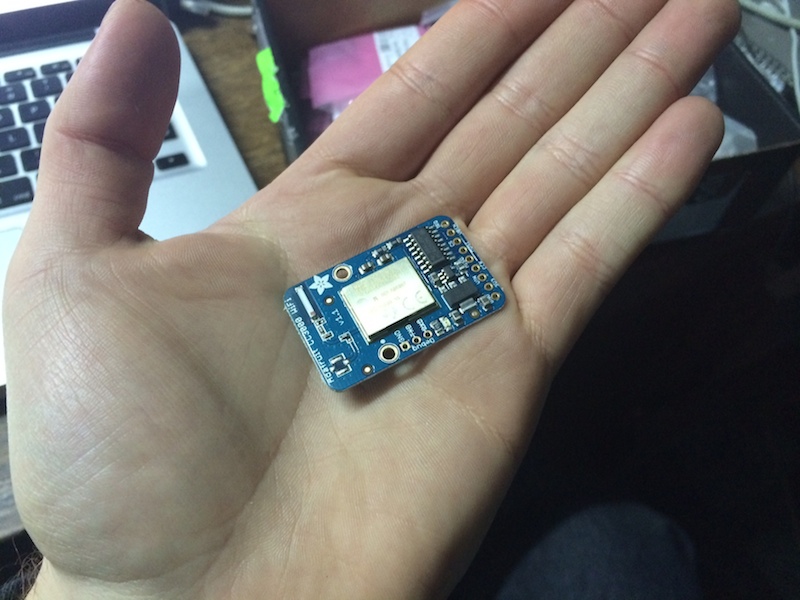
Texas Instruments, Beagle's heart factory, has launched a cheap module that provides wifi connectivity to your garage project. This post is about how communicate a tiny mini Teensy with a CC3000 breakout from Adafruit.
Wiring
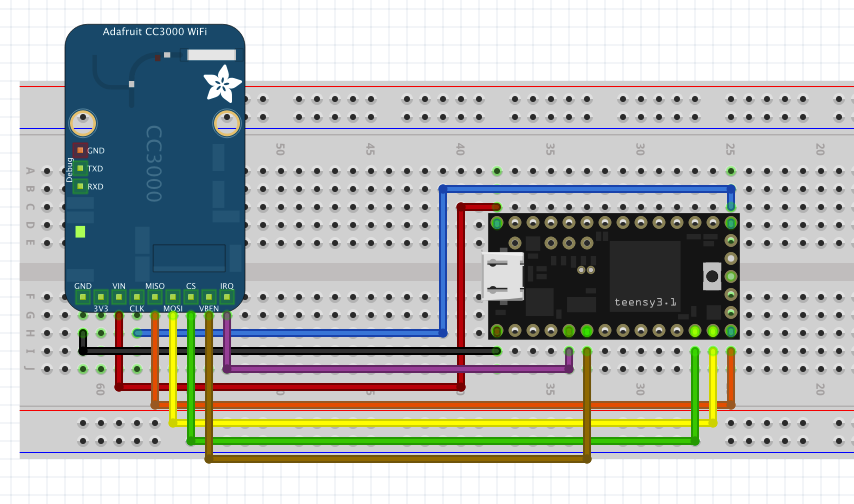
Pins mapping
Teensy pin CC3000 pin Color GND GND Black Vin Vin Red 13 CLK Blue 12 MISO Orange 11 MOSI Yellow 10 CS Green 4 VBEN Ochre 3 IRQ Purple
Teensy stuff
I will conveniently assume that you already have Teensyduino (Arduino 1.0.5 + Teensy add-on), if not, please take a look to this page.
Library
Click here and download the lastest Adafruit's CC3000 Library for Arduino IDE. Unzip the file and rename the just created directory to "Adafruit_CC3000". Go to Arduino IDE and import the library.
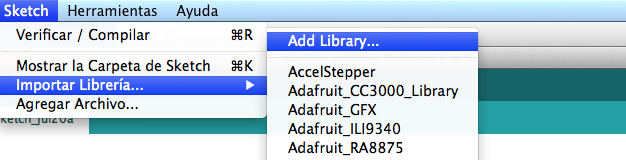
(My Arduino IDE is almost in spanish :P)
Power
You can supply power via USB (my choice for debugging) or Vin.
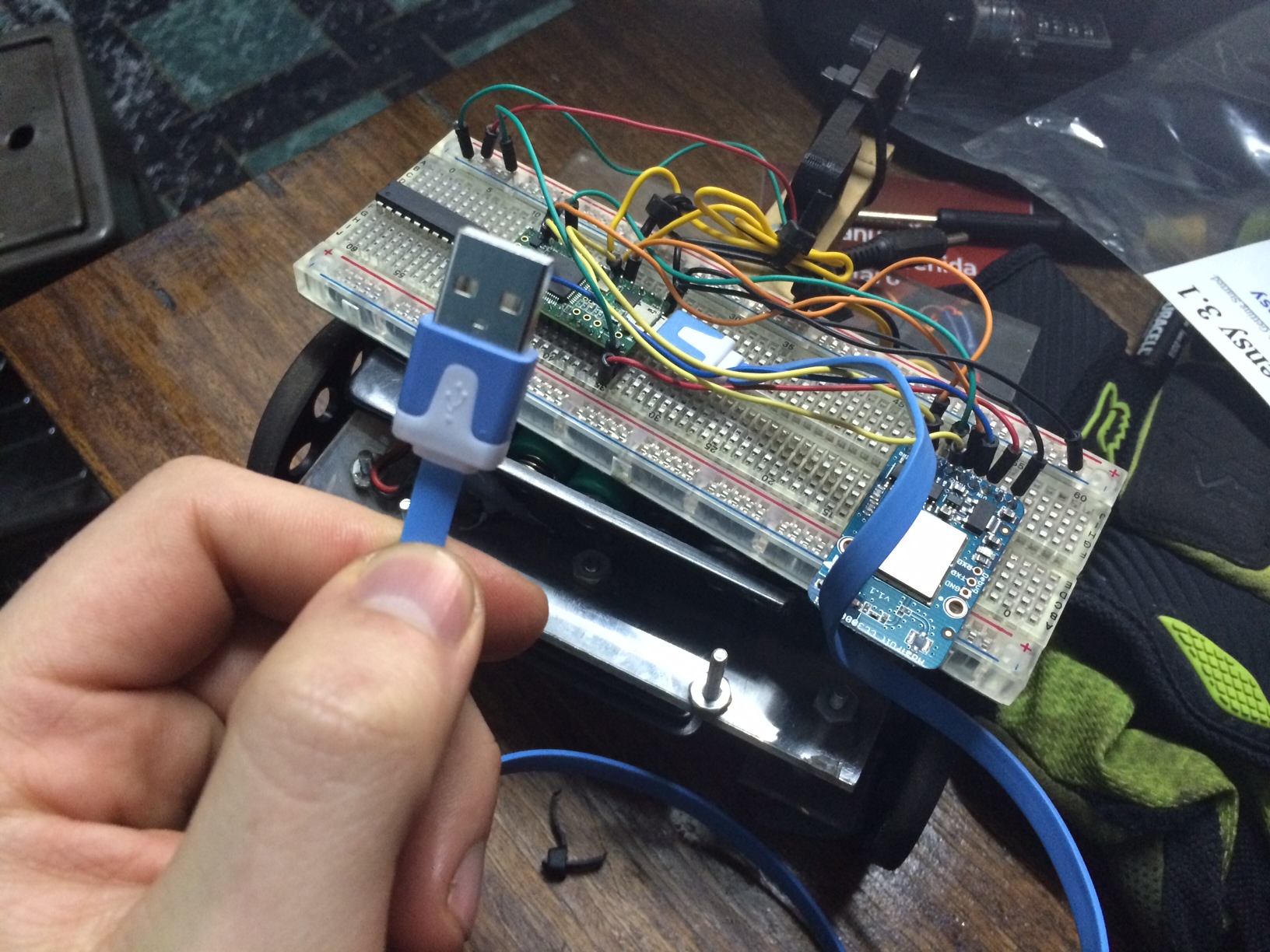
Testing
For testing purposes I wrote a program that sends a heartbeat every 2 seconds. Check this code out.
#include <Adafruit_CC3000.h>
#include <ccspi.h>
#include <SPI.h>
#include <string.h>
#include <stdlib.h>
#include "utility/debug.h"

#define ADAFRUIT_CC3000_IRQ   3
#define ADAFRUIT_CC3000_VBAT  4
#define ADAFRUIT_CC3000_CS    10

Adafruit_CC3000 cc3000 = Adafruit_CC3000(ADAFRUIT_CC3000_CS, ADAFRUIT_CC3000_IRQ, ADAFRUIT_CC3000_VBAT,
                                         SPI_CLOCK_DIV2);
// YOU MUST EDIT THIS
#define WLAN_SSID       "YOUR_AP_NAME"
#define WLAN_PASS       "YOU_AP_PASS"///

// Security can be WLAN_SEC_UNSEC, WLAN_SEC_WEP, WLAN_SEC_WPA or WLAN_SEC_WPA2
#define WLAN_SECURITY   WLAN_SEC_WPA2

// Server configuration example, YOU MUST EDIT THISconst uint8_t   SERVER_IP[4]   = { 192, 168, 0, xx };
const uint16_t  SERVER_PORT    = 3000;
///

#define HEARTBEAT_INTERVAL 2000

static Adafruit_CC3000_Client client;
static uint32_t last_heartbeat_time;
static uint8_t connect_retry_count = 0;

void connect_to_server(void)
{
  if(connect_retry_count > 0) {
    Serial.println(F("CC3000> Waiting 2 seconds before retrying to connect..."));
    delay(2000);
  }
  Serial.println(F("CC3000> Connecting to server..."));
  client = cc3000.connectTCP(cc3000.IP2U32(SERVER_IP[0], SERVER_IP[1], SERVER_IP[2], SERVER_IP[3]),
                                                     SERVER_PORT);
  if (!client.connected()) {
    Serial.println(F("CC3000> Can't connect to server"));
    connect_retry_count++;
    return;
  }
  connect_retry_count = 0;
  Serial.println(F("CC3000> Connected!"));
  last_heartbeat_time = millis();
}

// Set up the HW and the CC3000 module (called automatically on startup)void setup(void)
{
  Serial.begin(115200);
  delay(1000); // Without this delay Serial Monitor does not work

  /* Initialise the module */Serial.println(F("\nCC3000> Initializing..."));
  if (!cc3000.begin())
  {
    Serial.println(F("CC3000> Couldn't begin()! Check your wiring?"));
    while(1);
  }

  if (!cc3000.connectToAP(WLAN_SSID, WLAN_PASS, WLAN_SECURITY)) {
    Serial.println(F("CC3000> Failed!"));
    while(1);
  }

  Serial.println(F("CC3000> Connected to AP"));

  /* Wait for DHCP to complete */Serial.println(F("Request DHCP"));
  while (!cc3000.checkDHCP())
  {
    delay(100); // ToDo: Insert a DHCP timeout!
  }

  /* Display the IP address DNS, Gateway, etc. */
  while (! displayConnectionDetails()) {
    delay(1000);
  }
}

void loop(void)
{
  if(!client.connected()) {
    connect_to_server();
  } else {
    if(millis() - last_heartbeat_time >= HEARTBEAT_INTERVAL) {
      client.fastrprintln("Hi, I'm a Teensy");
      last_heartbeat_time = millis();
    }
  }
}

// Tries to read the IP address and other connection details
bool displayConnectionDetails(void)
{
  uint32_t ipAddress, netmask, gateway, dhcpserv, dnsserv;

  if(!cc3000.getIPAddress(&ipAddress, &netmask, &gateway, &dhcpserv, &dnsserv))
  {
    Serial.println(F("Unable to retrieve the IP Address!\r\n"));
    return false;
  }
  else
  {
    Serial.print(F("\nIP Addr: ")); cc3000.printIPdotsRev(ipAddress);
    Serial.print(F("\nNetmask: ")); cc3000.printIPdotsRev(netmask);
    Serial.print(F("\nGateway: ")); cc3000.printIPdotsRev(gateway);
    Serial.print(F("\nDHCPsrv: ")); cc3000.printIPdotsRev(dhcpserv);
    Serial.print(F("\nDNSserv: ")); cc3000.printIPdotsRev(dnsserv);
    Serial.println();
    return true;
  }
}
Applications
I'm using these devices to build a swarm robot for a robotic contest in Chile. You can see a proof-of-concept in this video: